Planning and reporting for software teams

Turn tickets and people into a plan you can trust.

TeamOps reads your tickets from Azure DevOps, or tracks them itself, and judges every plan against the team's real capacity: weekends, public holidays, leave and urgent work. You see slippage before the deadline, not on it.

  • Azure DevOps or built-in tracker
  • South African public holidays built in
  • Passkeys and two-step sign-in
  • Priced in rand
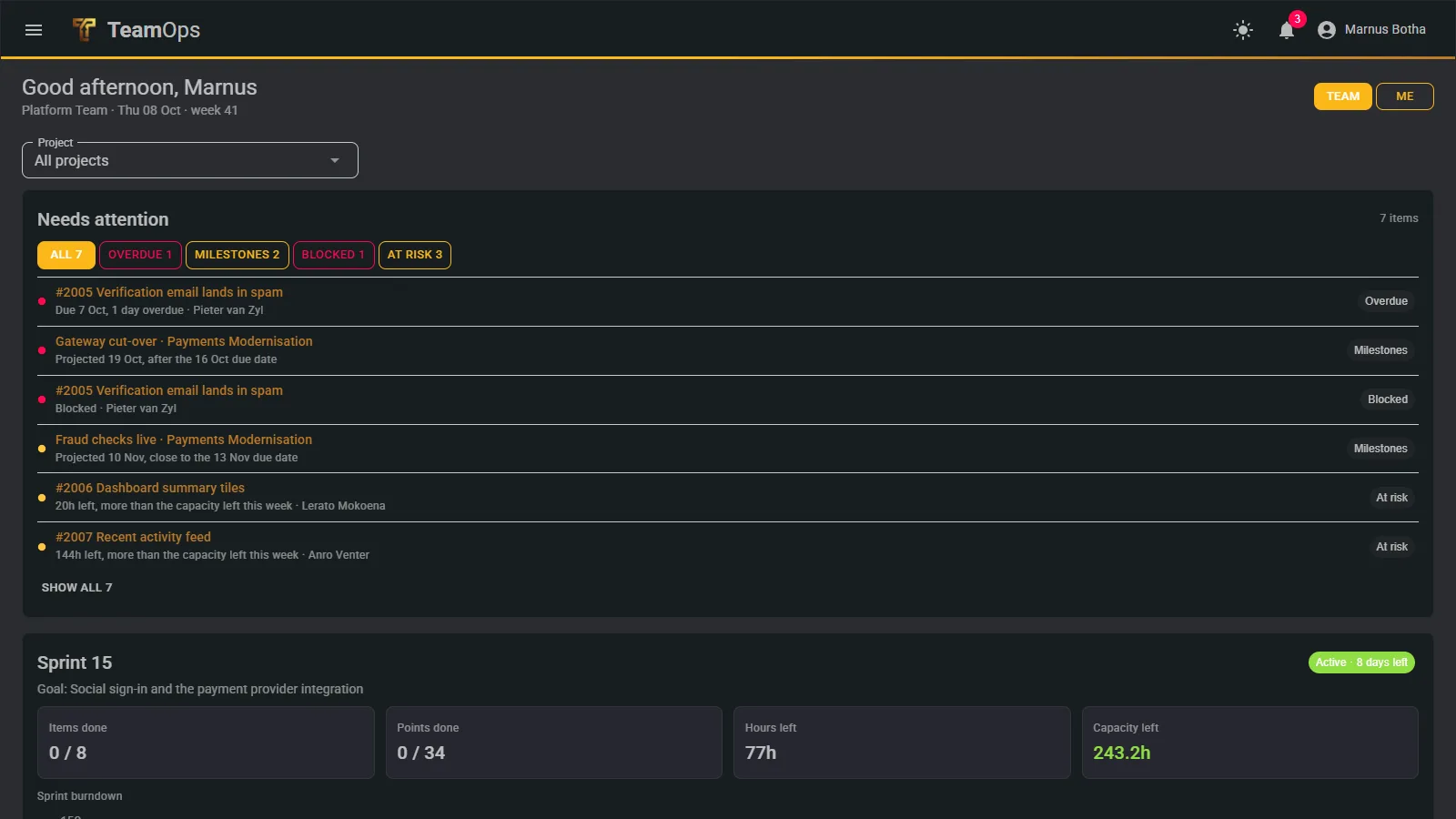
The TeamOps dashboard: a list of what needs attention, worst first, then the active sprint

Why TeamOps

Status is gathered by hand, and slippage is found on the deadline

Most teams still build their picture of the work from several tools, a weekly meeting and a spreadsheet. By the time it is assembled it is out of date.

Today

  • Status is collected by hand from several tools and meetings
  • Plans assume everyone is available every day
  • Late work is discovered on the deadline, not before
  • Weekly and monthly reports are rebuilt in slides and spreadsheets

With TeamOps

  • One live picture of work, people and dates
  • Every plan judged against real capacity: weekends, public holidays, leave and urgent-work time
  • Overdue, blocked, stale and at-risk work flagged without anyone chasing
  • Management reports with a plain-language headline, as a PDF or by email

What it does

Plan it. Get warned. Report it.

Plan

  • Weekly commitments with a Friday lock
  • Projects, milestones and projected finish dates
  • Sprints with a burndown that respects who is in

Warn

  • Overdue, blocked, stale and at-risk work
  • Live notifications in the bell and as pop-ups
  • A manager portal across teams

Report

  • Weekly and project PDFs with your logo and colours
  • A portfolio report with a plain-language headline
  • Emailed to the team on request

Dashboard

Opens on what needs attention, not on charts

The dashboard is a to-do list for the team leader first. One list, worst first, with filters for overdue, milestones, blocked, stale, no tasks and at risk. Then the active sprint, projects against their milestones, workload against availability, and what is coming up in the next 14 days.
More about the dashboard

The dashboard showing the needs-attention list

Weekly planning

Commit weekly, with an honest warning when it is in danger

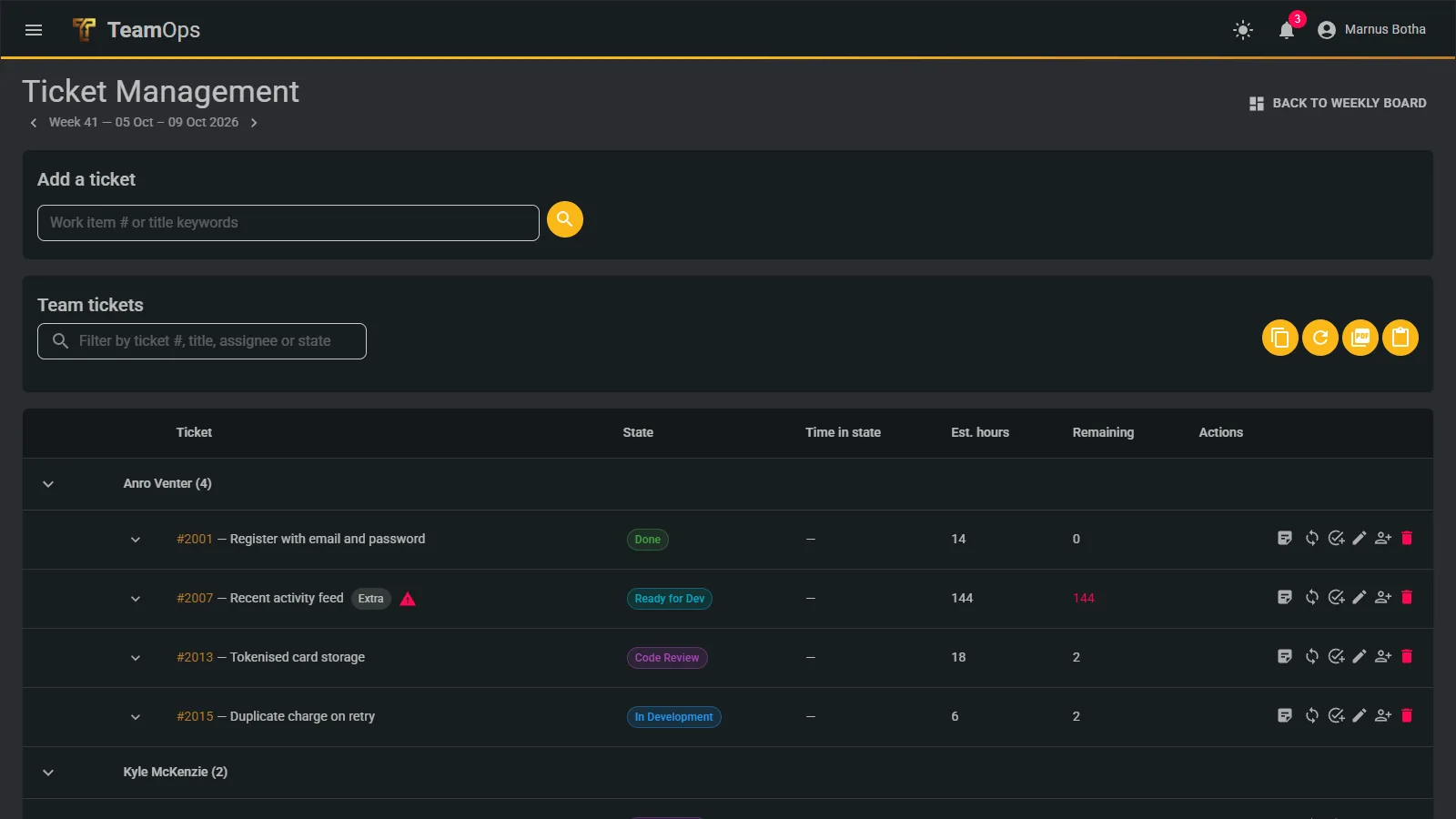
Commit tickets for the week and watch their state. A ticket is flagged at risk when its remaining hours exceed what its assignee can actually do before Friday. The commitment locks on Friday at 17:00, and anything added after is tracked as an extra so the baseline stays honest.

More about weekly planning

Tickets for the week grouped by person, with state, hours and risk flags

Projects and milestones

Multi-week work with a projected finish, not a hopeful one

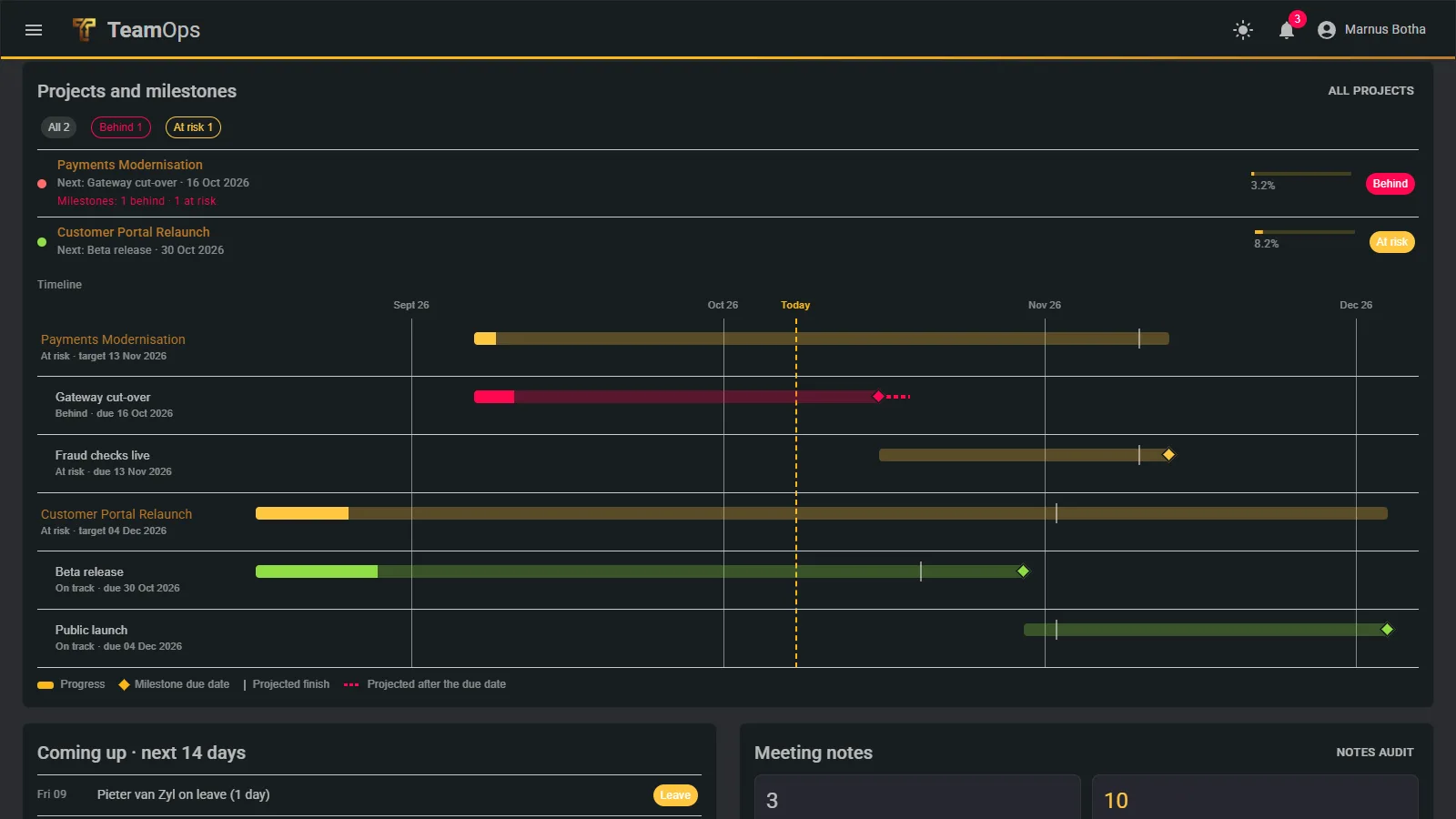
Projects have milestones and a timeline. The projected finish applies the team’s capacity day by day, so a project that is slipping shows it weeks before the date. One click produces a management PDF with the headline at the top.

More about projects

Every project and its milestones on one calendar, with progress and projected finish

Built-in tracker

A complete tracker for teams without Azure DevOps

No ticket system yet? The built-in tracker has epics, features, backlog items, bugs and tasks, a drag-and-drop board, saved views, comments with @mentions, attachments and a full history of every change.

More about the tracker

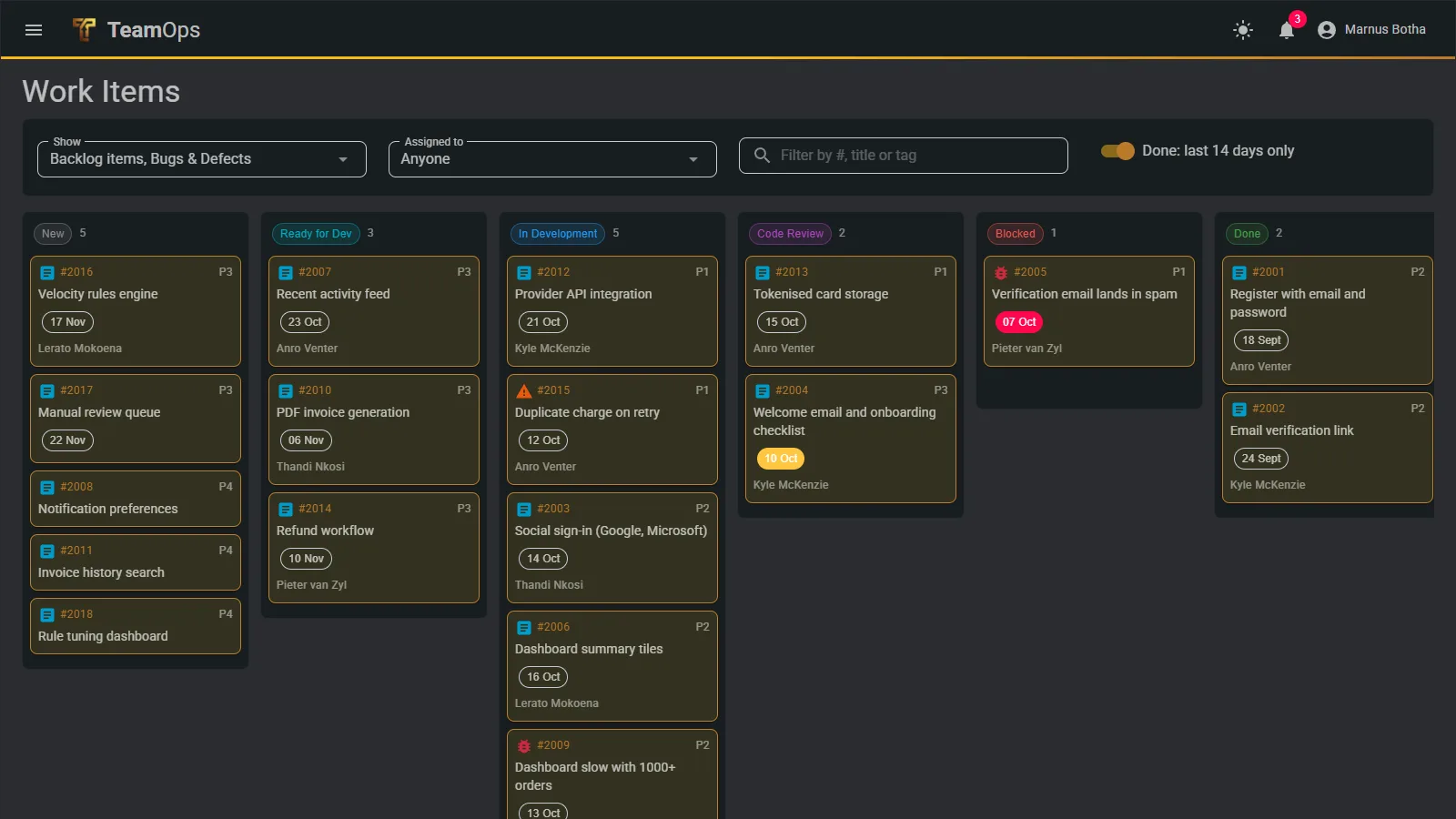
The built-in tracker board with one column per state
7day free trial, every feature on
2ticket sources: Azure DevOps or built-in
3ways to sign in: password, authenticator code, passkey
6size tiers, from 50 to 2000 people

For managers

See every team in your organisation, and change none

The manager portal gives a read-only look across all the teams of one organisation: where each stands, what is late, who is stretched. Customers never see each other.

How organisations and roles work

Trust

Built so a stolen password is not the end of the story

Passkeys, authenticator codes, lockout, encrypted secrets and an open, recorded support process. Read how we protect your data.

Security and privacy

See your own work in TeamOps

Start a 7-day free trial with every feature switched on, or ask us for a walkthrough with your own tickets.